Leave Request Management
This section allows you to view and manage employee leave requests based on their status.
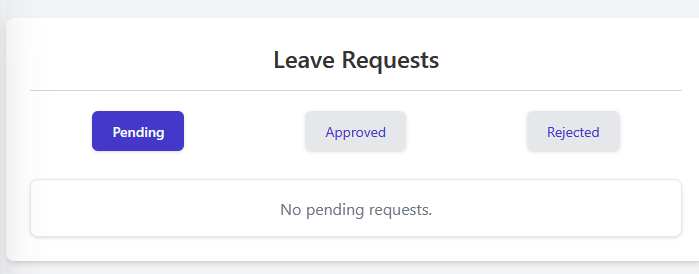
Viewing Requests by Status
To view leave requests, use the status filter buttons located below the main heading:
- Pending: Click this button to view requests that are awaiting approval or rejection.
- Approved: Click this button to view requests that have been approved.
- Rejected: Click this button to view requests that have been rejected.
The currently selected status button will be highlighted (e.g., the dark blue Pending button in the image).
Request Display Area
Below the status buttons, the system displays the leave requests corresponding to the selected filter.
- List of Requests: If requests exist for the selected status, they will be listed in this area (details not shown in the example image).
- No Requests Message: If there are no requests matching the selected status, a message like "No pending requests." will be displayed, as shown in the image under the selected Pending tab.