Active Courses Module
1. Overview
The Courses module provides students with a comprehensive view of all their academic courses, both active and completed. This section is designed for seamless navigation, giving users quick access to course details, resources, and registration information.
2. Page Layout
The Courses section is accessible from the main sidebar and is divided into two key tabs: Active Courses and Completed Courses.
2.1 Active Courses Page

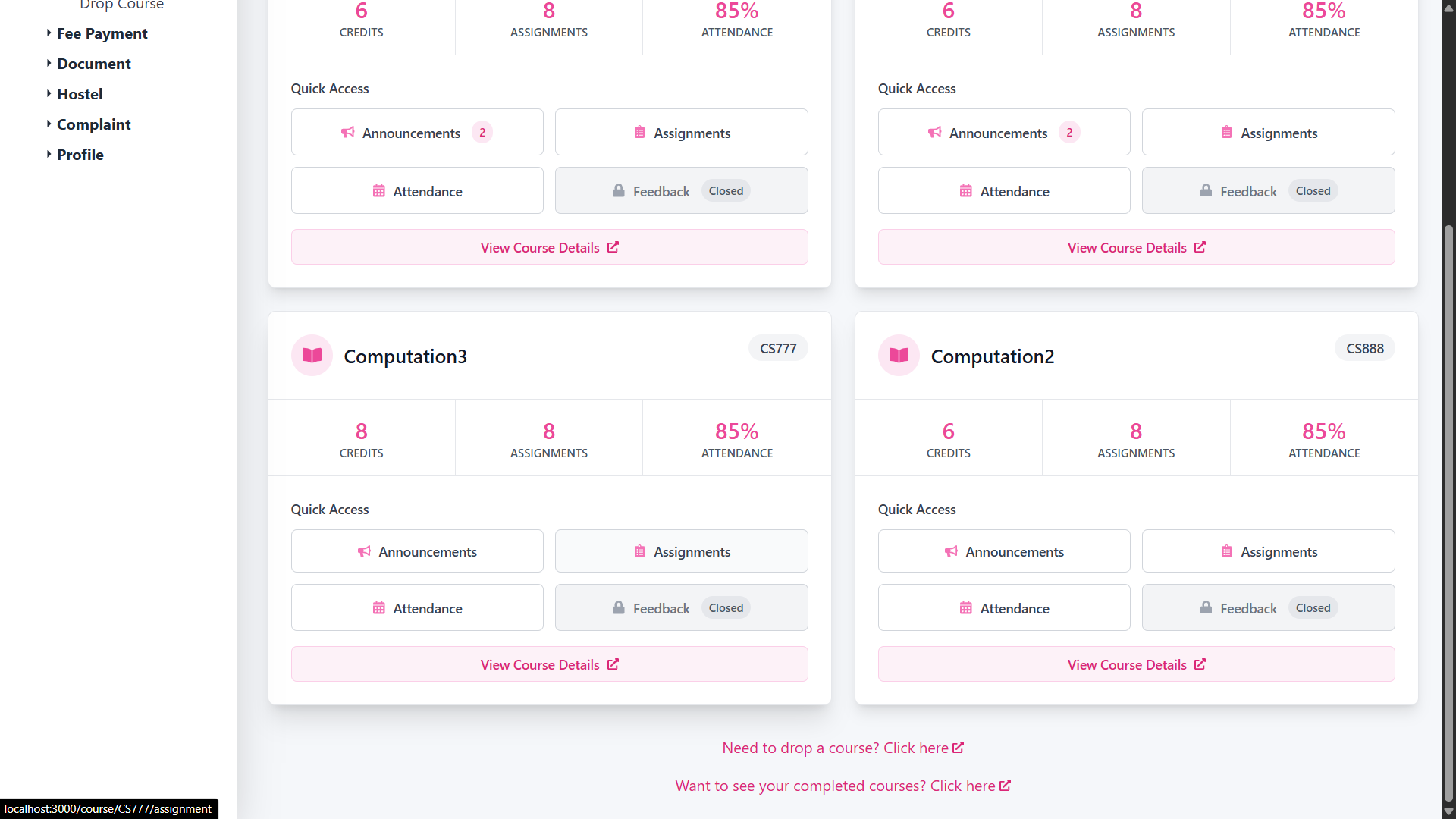
This page displays a list of all ongoing courses in a scrollable format. Each course is represented as a rectangular card with the following information:
- Course Code (e.g., CS517)
- Course Title (e.g., Programming Languages Lab)
- Instructor Name (e.g., Prof. XYZ)
- Type of Course (e.g., Lab, Lecture)
- Semester Timeline (e.g., Jan 2025 – Apr 2025)
Features
- Responsive Grid: Courses are laid out in a scrollable card grid.
- Intuitive Design: Easy to scan for current coursework.
- Clickable Cards: Clicking on any course redirects the user to a detailed course view.
2.2 Completed Courses Page
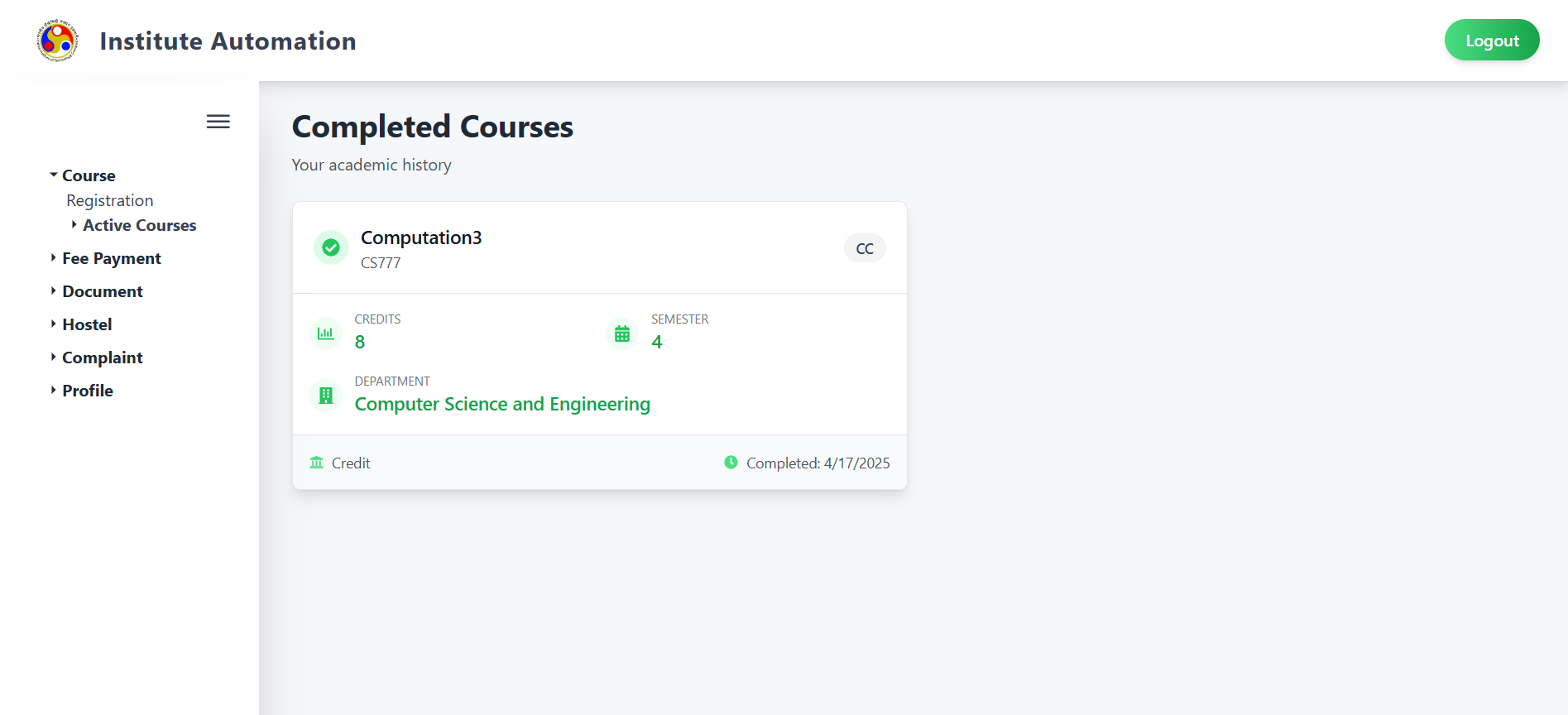
This tab displays a grid of all courses the student has completed in past semesters.
Each course card includes:
- Course Code and Title
- Instructor Name
- Type of Course
- Term Completed (e.g., Jul 2024 – Nov 2024)
- Status: These courses are marked as completed, and no further actions are available.
Features
- Clear Distinction: The “Completed” label is visually distinct from active courses.
- Read-Only Cards: These cards are static and meant for reference only.
- Course History: Helpful for tracking academic progress over time.
3. Behavior and Functionality
- Data Sync: All course information is dynamically synced from the institute's academic backend.
- Tab Persistence: The selected tab (Active/Completed) remains active on return visits.
- Course Sorting: Courses are auto-sorted chronologically based on term duration.
4. Notes
- Registration Management: Course drop functionalities are available in the bottom of this module.
- View Only: This section is meant for tracking and reference; no edits can be made here.
- Mobile Optimization: The interface is fully responsive and works on both mobile and desktop.