Time Table Module
1. Overview
This page allows you to view the weekly schedule of courses at the Institute Automation. It provides a clear and organized interface to check the timetable for each day and the corresponding course codes.
2. Page Layout
When you navigate to the Time Table page, you will see the following key sections:
- Title: Displays the heading "Time-Table" at the top.
- Sidebar Menu: Options include Course Registration, Active Courses, Assignment, Attendance, Time Table, Drop Course, Fee Payment, Document, Hostel, Complaint, and Profile.
- Timetable Grid: A table showing the schedule with days (Monday to Friday) and time slots from 8:00 - 5:55.
- Logout Button: Located at the top right for user logout.
3. Features and How to Use Them
3.1 Viewing the Timetable
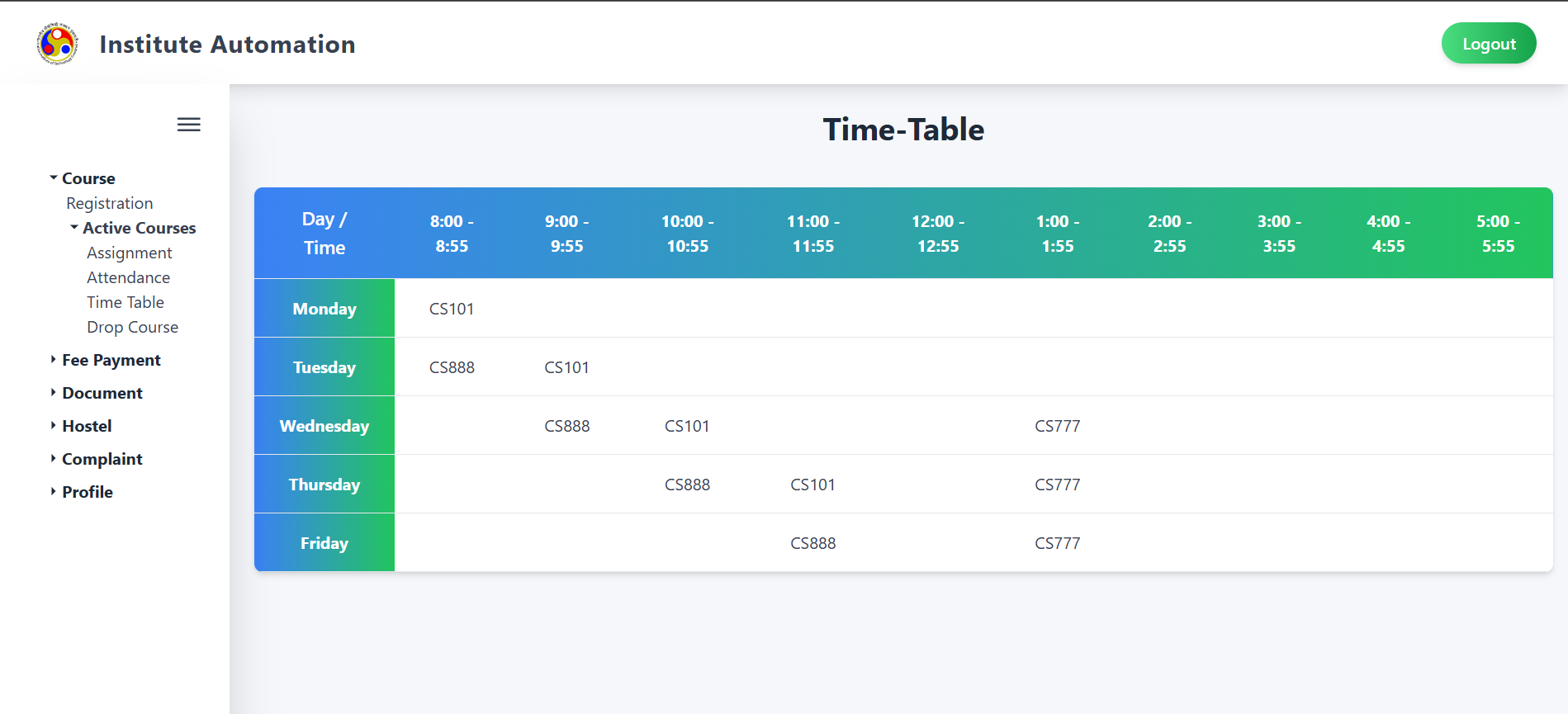
The timetable displays the course codes scheduled for each day and time slot:
- Days: Monday, Tuesday, Wednesday, Thursday, Friday.
-
Time Slots:
8:00 - 8:55
9:00 - 9:55
10:00 - 10:55
11:00 - 11:55
12:00 - 12:55
1:00 - 1:55
2:00 - 2:55
3:00 - 3:55
4:00 - 4:55
5:00 - 5:55 -
Course Codes:
- Monday: CS101 (8:00 - 8:55)
- Tuesday: CS888 (8:00 - 8:55), CS101 (9:00 - 9:55)
- Wednesday: CS888 (8:00 - 8:55), CS101 (9:00 - 9:55), CS777 (1:00 - 1:55)
- Thursday: CS888 (9:00 - 9:55), CS101 (10:00 - 10:55), CS777 (1:00 - 1:55)
- Friday: CS888 (10:00 - 10:55), CS777 (1:00 - 1:55)
4. Validation and Behavior
- Empty Slots: Any time slot without a course code indicates no class is scheduled.
- Time Slot Consistency: Each course is scheduled within a single time slot per day.
5. Important Notes
- Schedule Updates: The timetable may be updated by the institute. Check regularly for changes.
- Contact: For any discrepancies or questions about the timetable, reach out to the institute administration or your course coordinator.